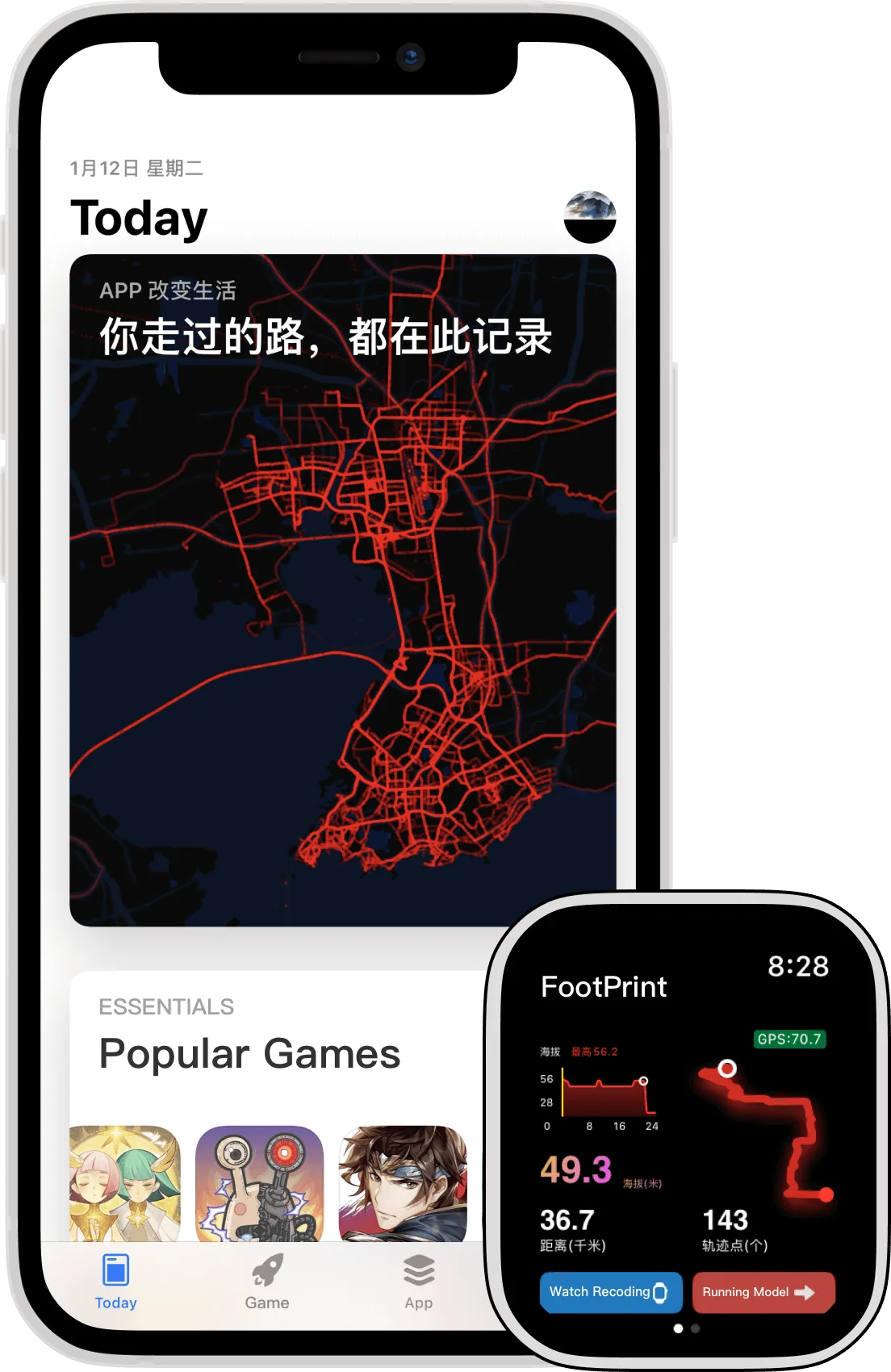
Featured on App Store,
Privacy Secure, Worth a Try!
This is a trajectory recording software.
Recommended multiple times by the Apple App Store, data is stored entirely locally on your phone, with no servers and no ads, making it trustworthy.
Unlike ordinary trajectory recording software, Footprint supports the display of massive data scales in the millions. And no manual operation is required; just grant location permission, and it will automatically record your trajectory in the background with extremely low power consumption.
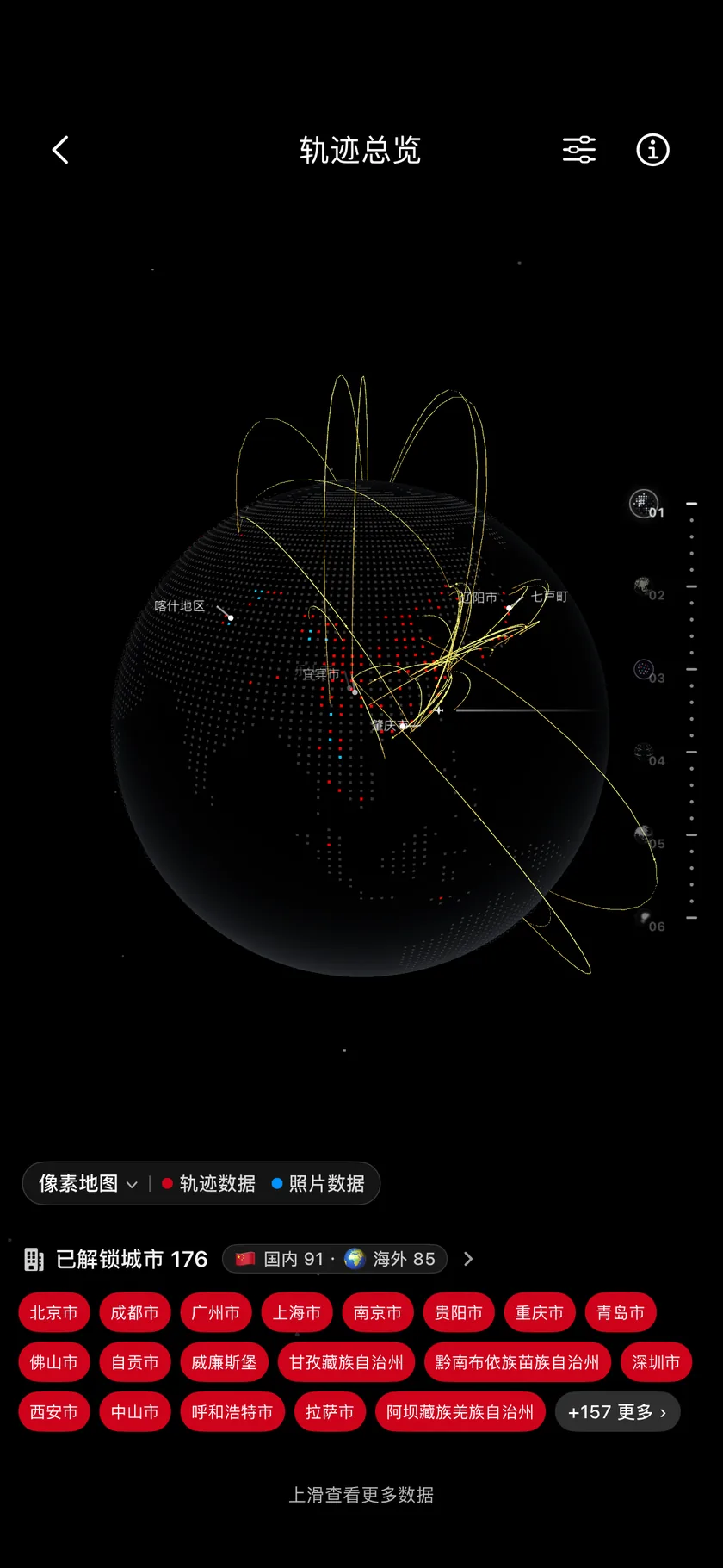
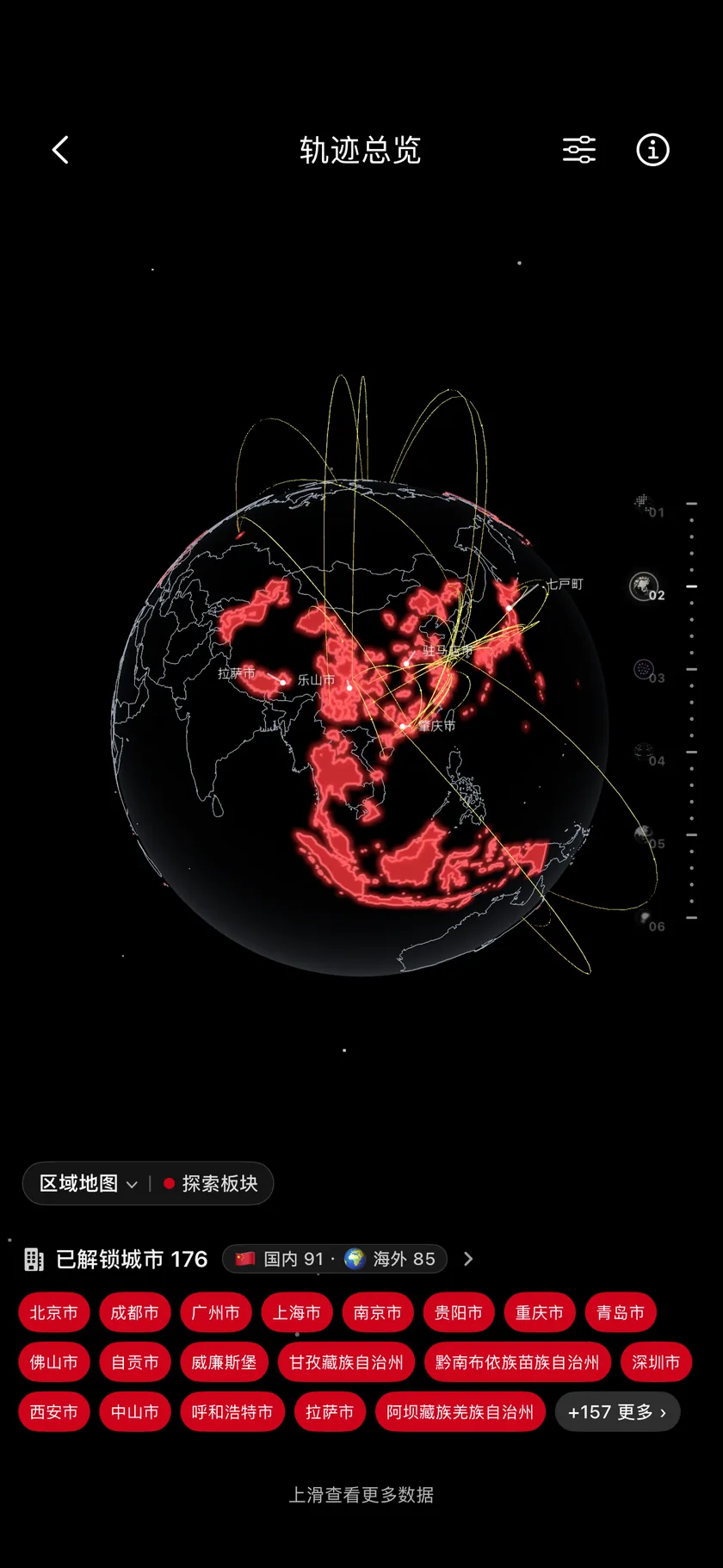
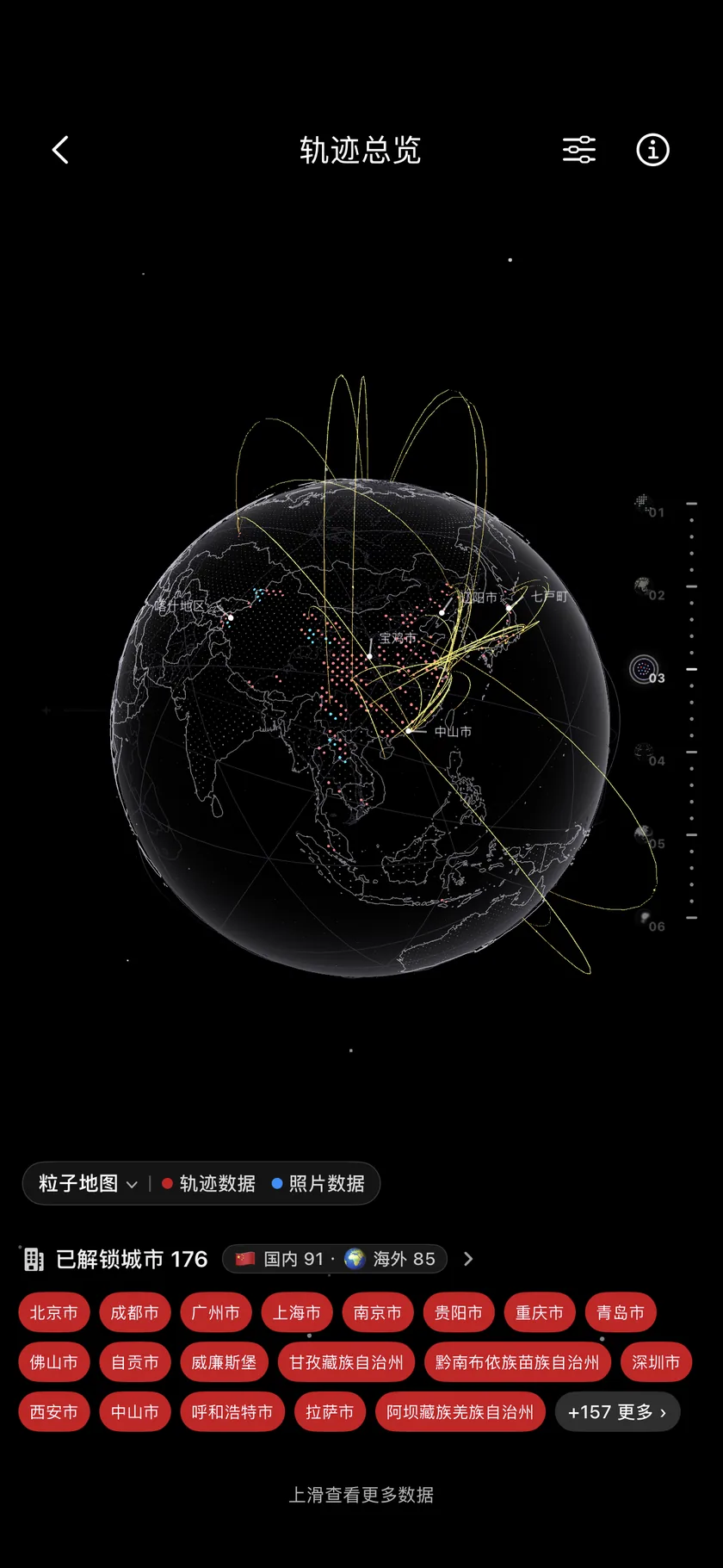
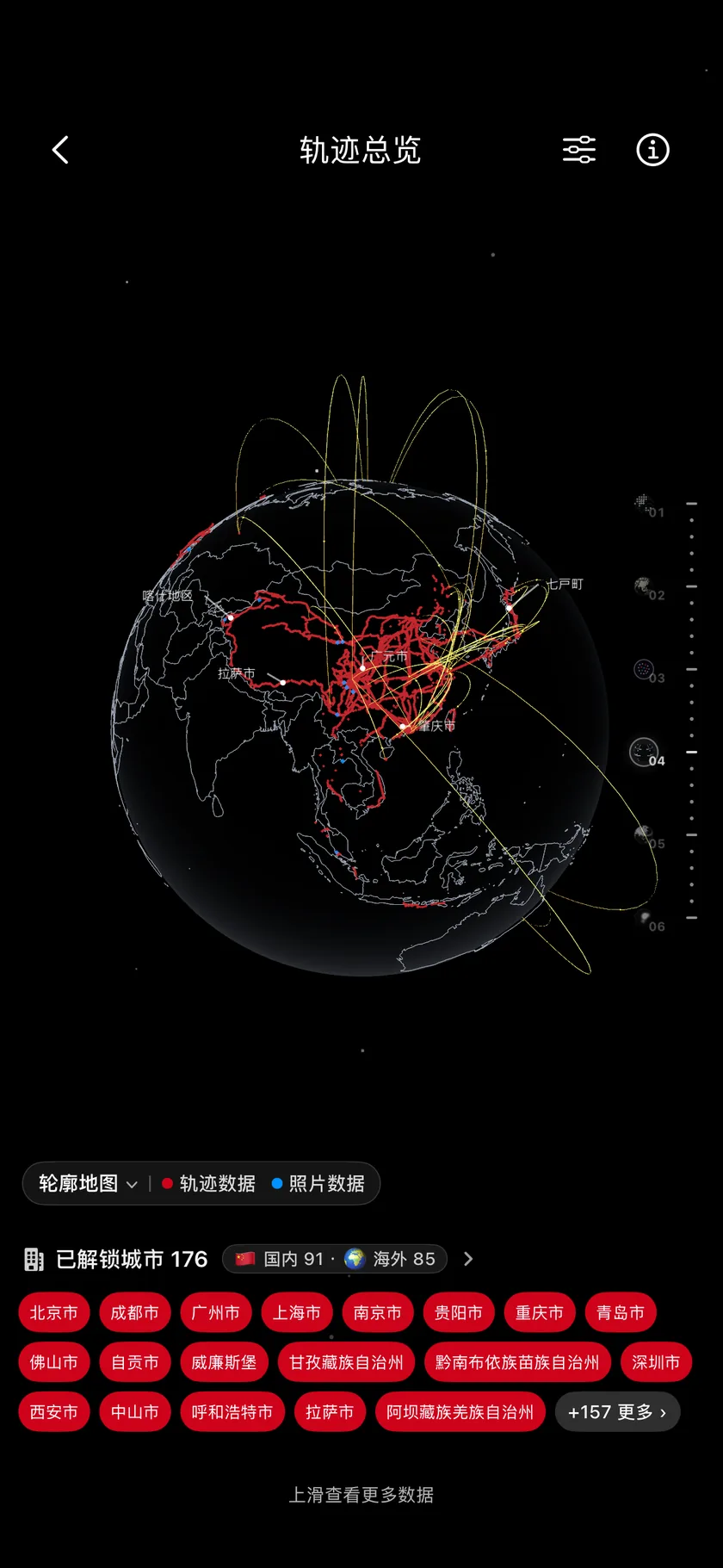
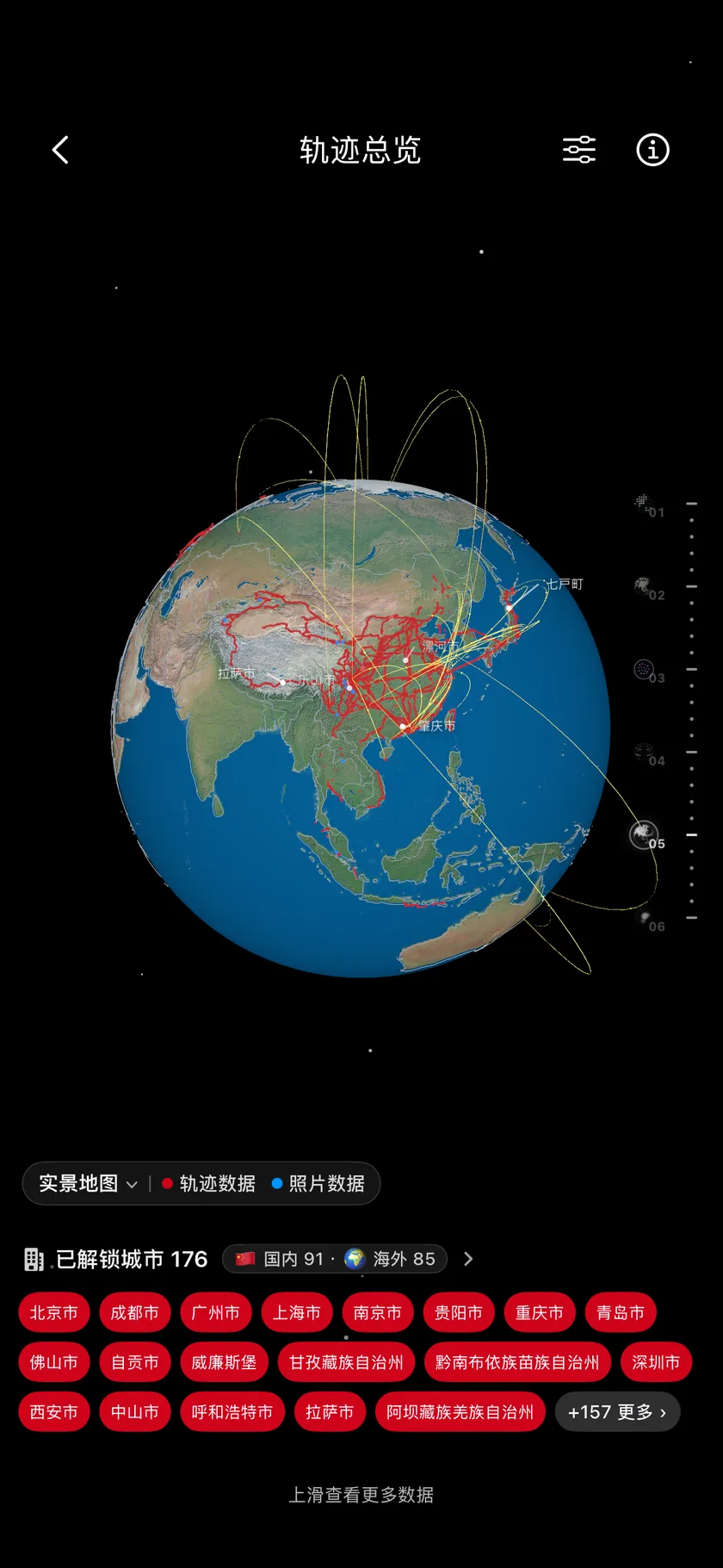
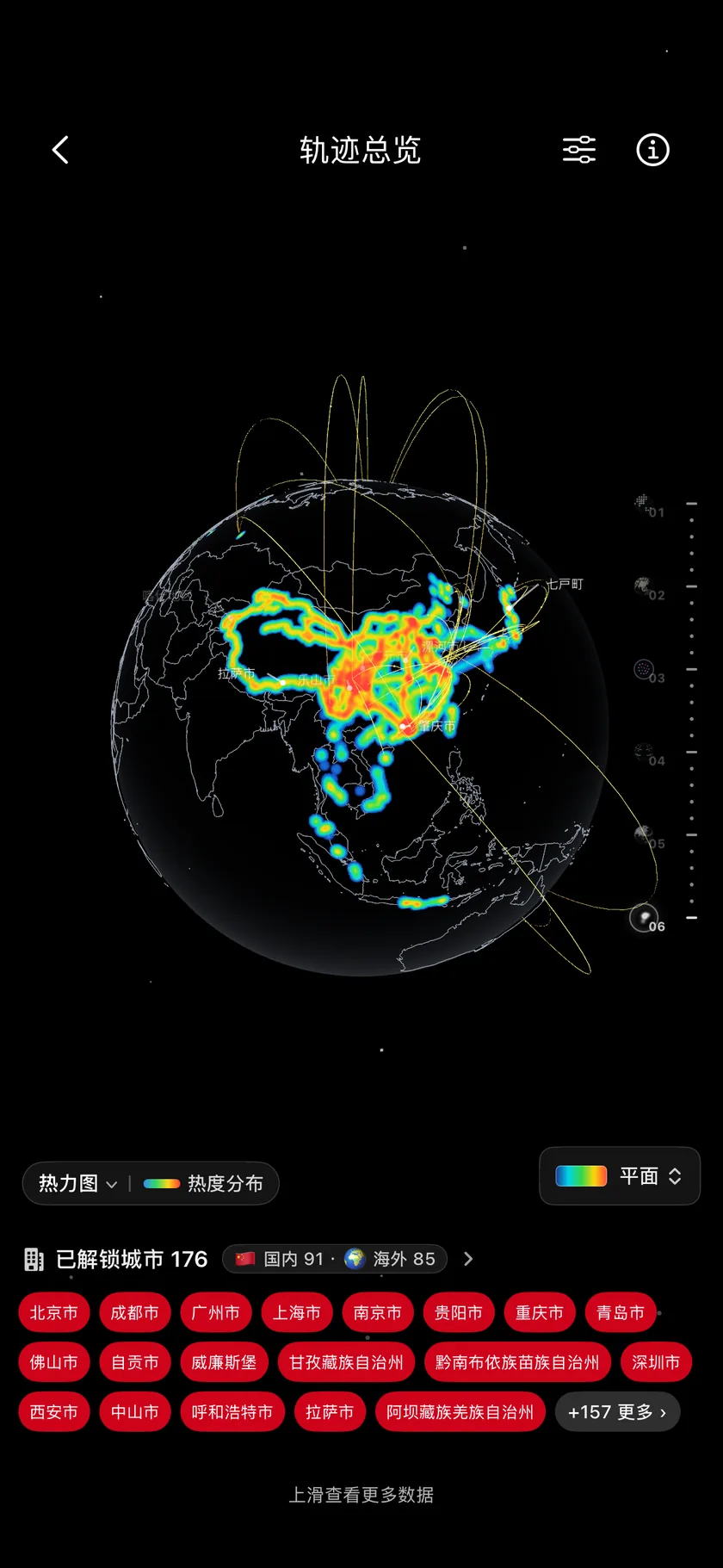
3D Earth Overview,
6 Visual Modes for Your Journey
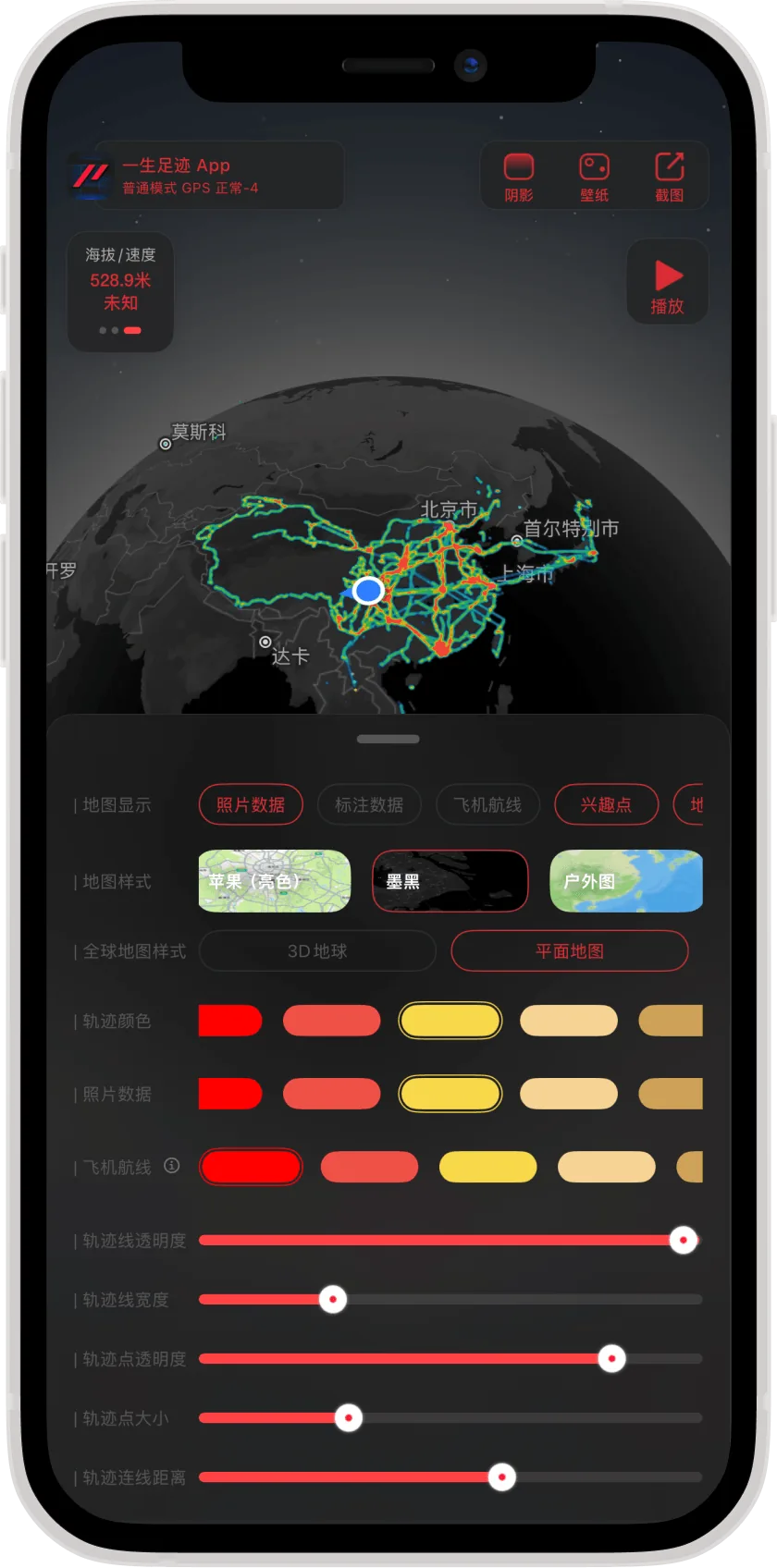
Bring every city, flight arc, and photo location onto one interactive 3D globe. Switch effortlessly across 6 visual styles—from pixel matrices to heatmaps—to see your lifetime explorations come alive.
Reimagines the world in crisp pixel dots where red track points, blue photo pins, and golden flight arcs intersect.
Time Review,
Relive Every Step
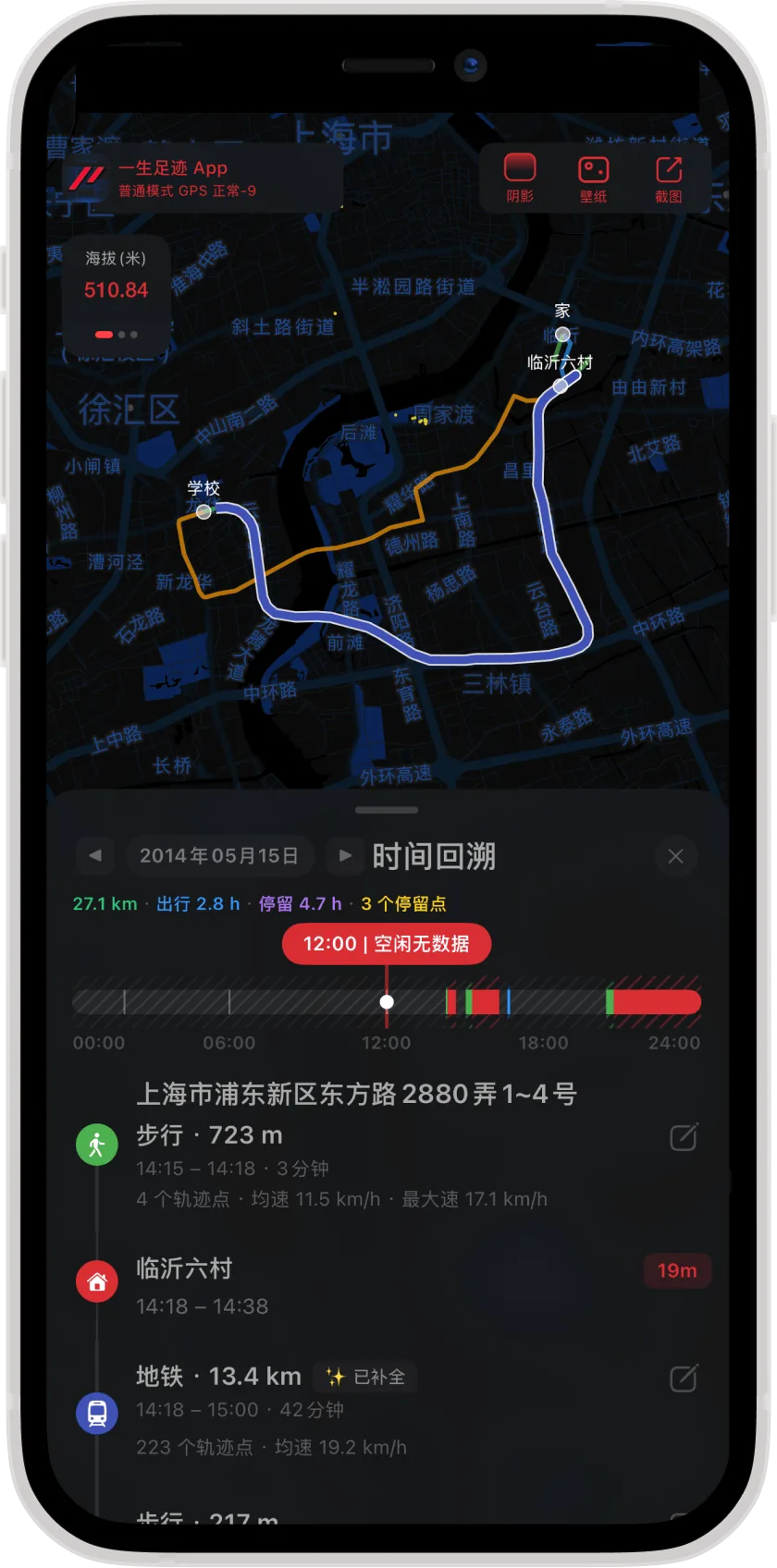
The all-new Time Review turns static coordinates into an interactive journey.
Explore an interactive 24-hour timeline slider to replay your movement and stay rhythm on any given day.
Intelligently identify walking, transit, and driving modes with speed and elevation profiles, keeping your travel milestones alive.
Personalized Maps,
Unique Custom Wallpapers
Featured in Apple App Store's 'Time for a New Wallpaper'.
Explore multiple map aesthetics—Minimal Dark, Fresh Blue, and Satellite—or hide base maps to showcase pure, luminous life tracks.
Long-press to pin memorable spots and export high-resolution custom lockscreens and travel posters in one tap.
Power Saving.
Ultra-low power consumption for real-time background trajectory recording.
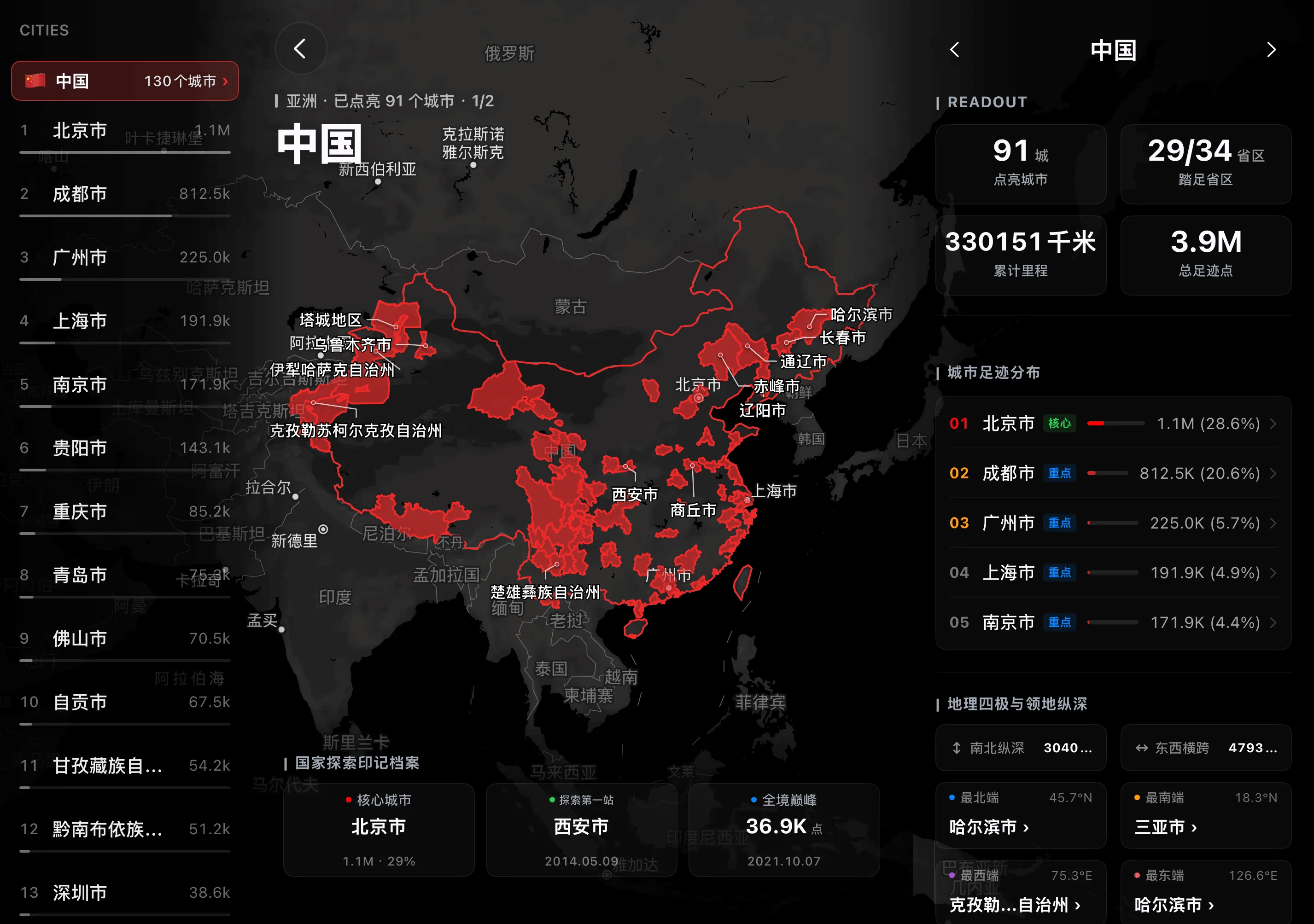
Digitalization.
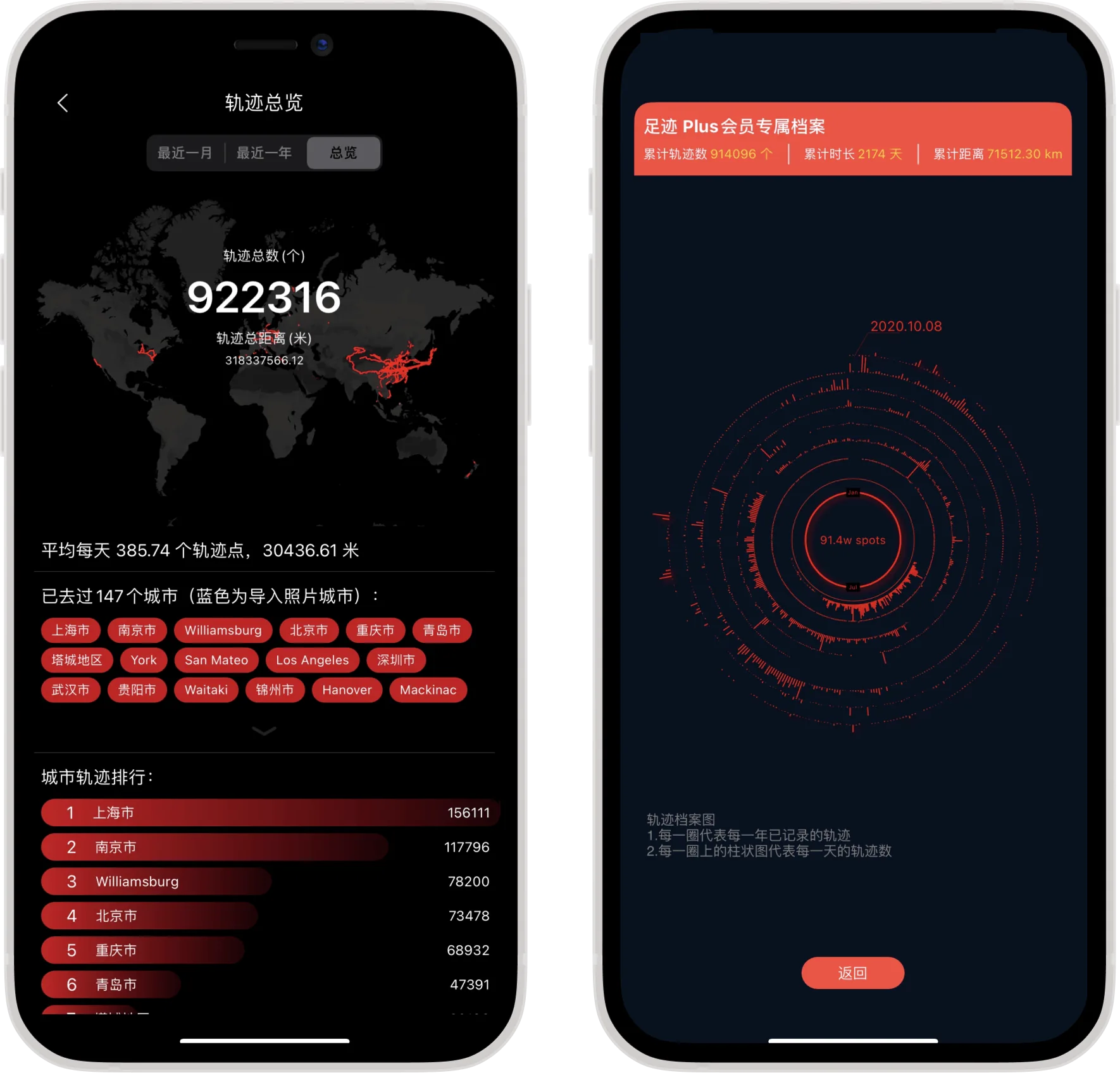
Trajectory overview, digitally displaying trajectory data.
Massive Data.
Real-time rendering of a lifetime's trajectory with millions of data points.
Features
Power Saving · Fully Automatic Background · WatchOS Support · Data Scale Visualization
Frequently Asked Questions
Quick answers about battery usage, local privacy, global tracking, and visualization
Does automatic background GPS tracking drain my battery?
Footprint uses a low-power background location strategy. Since iOS 26 and later tend to consume more battery for continuous background GPS, we recommend pairing Footprint with Apple Shortcuts to automatically start recording outdoors and pause when you arrive home for maximum battery savings. On Android, enable the Labs feature to automatically pause recording when connected to Wi-Fi for ultra-low power consumption.
Is my location data private? Is it uploaded to any server?
Your privacy comes first. All trajectory data is stored strictly locally on your device—no tracking servers, no ads, and no third-party data collection.
Does Footprint support Android, global travel, and Apple Watch?
Yes. Both iOS and Android versions support worldwide recording and multiple languages, and the iOS version also supports WatchOS for seamless tracking anywhere you go.
Will the map lag after recording years of millions of GPS points?
No. Unlike ordinary GPS trackers, Footprint is built for massive datasets, smoothly rendering millions of lifetime data points in real time across 2D maps, 3D Earth, and city analytics.
Can I replay past trips or export custom map wallpapers?
Yes. Use the interactive 24-hour Time Review slider to replay any day's route and transport modes, or switch map styles (including hiding the base map) to export high-resolution lockscreen wallpapers and travel posters.
Is Footprint a good private alternative to Google Timeline? Where can I download it?
Yes—it is designed for local-first, ad-free lifetime location history. Download it on the Apple App Store for iOS, or via Google Play and major Android app stores.
How do I sync or transfer trajectory data when switching phones?
We recommend manually exporting your data file and transferring it to the other device to import. iOS and Android use the exact same data format, so whether you stay on the same platform or switch between iOS and Android, your tracks transfer seamlessly.
What data backup methods does Footprint support?
Both iOS and Android support Baidu Netdisk, Nutstore (Jianguoyun), local backup, and self-hosted WebDAV backup. On top of that, iOS also supports both iCloud database backup and iCloud file backup.
Do VIP memberships sync between Android and iOS?
Not at this time. Android requires separate commercial map service licensing that costs significantly more than iOS, and both platforms use independent account and payment systems, so VIP memberships cannot be shared across iOS and Android. Within the same platform, iOS purchases can be restored via your Apple ID ('Restore Purchases'). On Android, the Google Play version can be restored by signing in with the same Google account or via a linked WeChat account; for other Android stores, linking a WeChat account is strongly recommended (unlinked guest-mode memberships are tied to the current device only).
Footprint · Record Your Life.

Scan to Download App
Public Beta APK
Google Play
App Treasure
Xiaomi Market
vivo Market
OPPO Market
Honor Market
Huawei AppGallery